Vectorizing your logo…
Usually takes 10–15 seconds. Stay on the page.
It is a real vector now. Step 2 is making it work for print.
Vector PDF and SVG for your printer, plus a transparent high-resolution PNG and JPEG for your website and social profiles. Everything, in one download.
Sign up free to convert more.
THE PROOF
Both files started as the same logo. The left side is the raster PNG you started with. The right side is the vector SVG we generated. This is the difference between a clean print and a refund request.
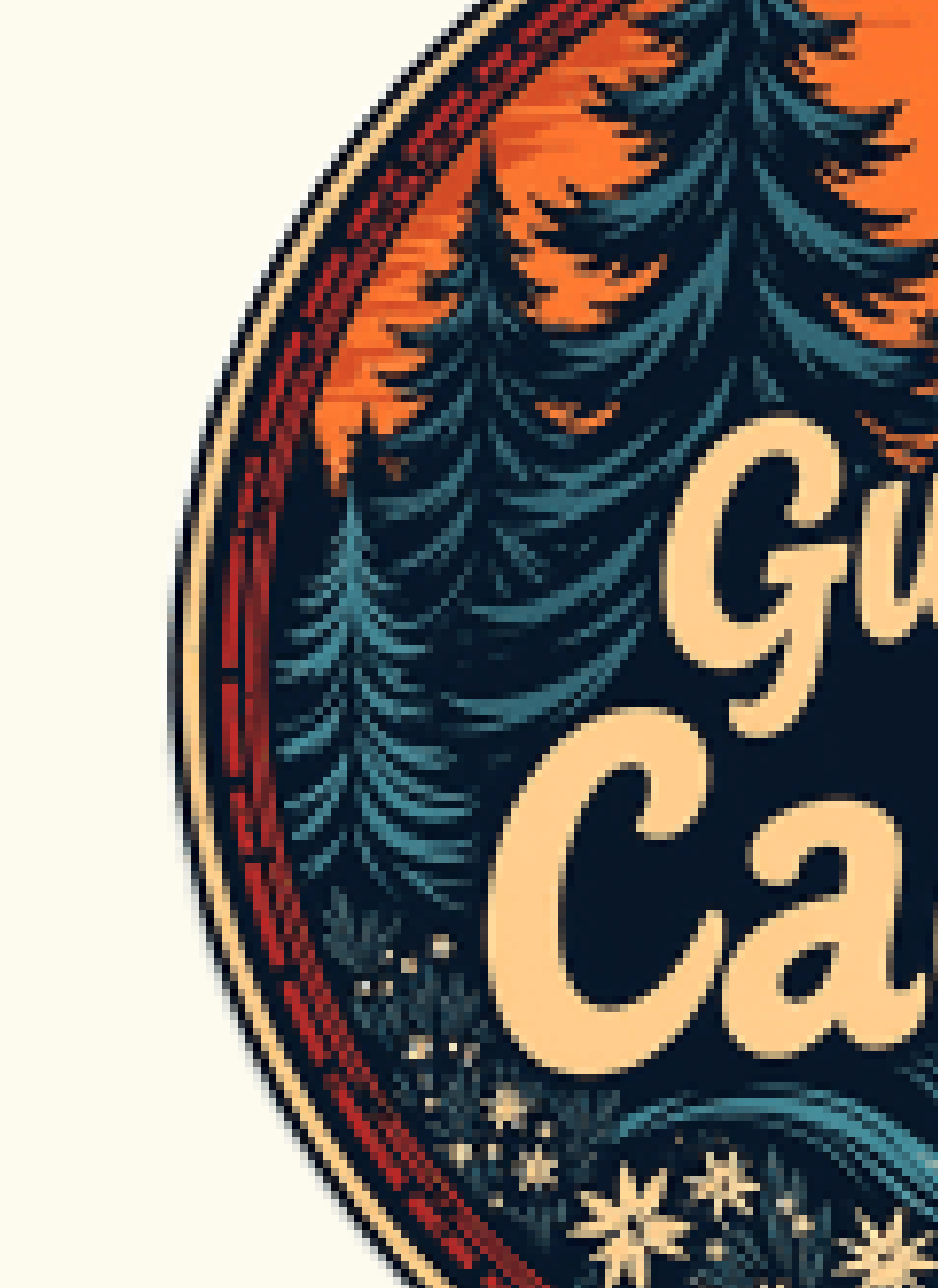
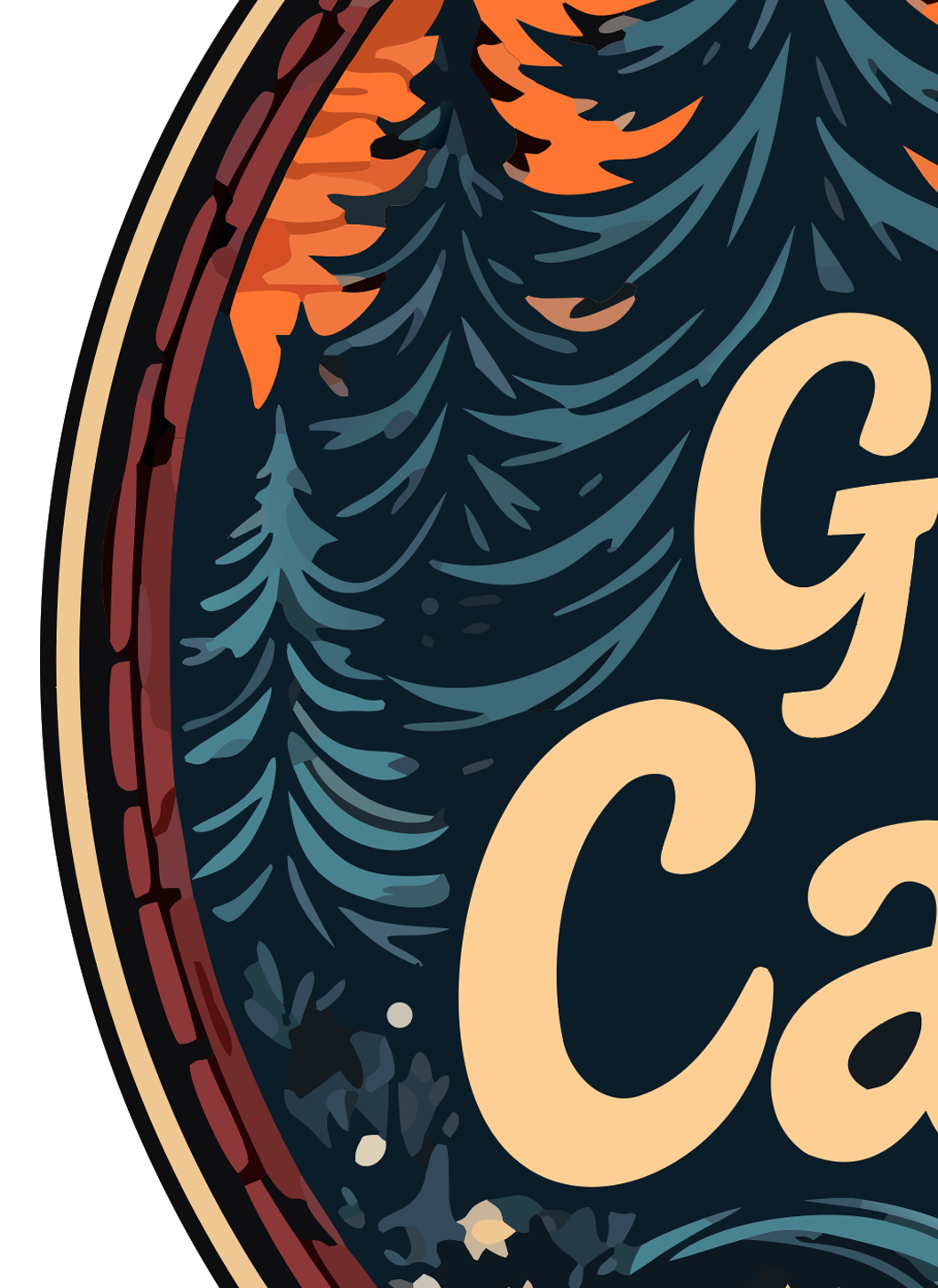
Real output, real zoom. Vector edges stay mathematical paths; raster edges turn into squares.
THE PROBLEM
ChatGPT, Midjourney, Gemini, and Adobe Firefly all export raster images — PNG or WebP files made of pixels. On a screen, they look perfect. But the moment you try to print one on a t-shirt, business card, or sign, the edges blur and the colors mush together.
Printers, embroidery machines, Cricut cutters, and screen printers can't use pixel images at scale. They need vector files — SVG, PDF, or AI — where every shape is a mathematical path that can be scaled to any size without losing quality.
Most converters online either don't accept WebP (Adobe Express), don't remove backgrounds (FreeConvert), or charge you to download (Vector Magic, Canva). We do all three. Free.
WHY US
We tested every popular SVG converter with real AI-generated logos. Most either failed (Adobe rejects WebP) or output a flat, uneditable trace. Here's how we compare.
| LogoMakr | Adobe Express | FreeConvert | Vector Magic | Picsvg | |
|---|---|---|---|---|---|
| Pro-quality output (clean separated layers) | ✓ | Low quality | Low quality | Paid only | Low quality |
| Accepts WebP (ChatGPT / Midjourney) | ✓ | ✗ | ✓ | ✗ | ✗ |
| Background removed automatically | ✓ | ✗ | ✗ | ✗ | ✗ |
| Editable color layers (80+) | ✓ | Flat | Flat | Paid only | Flat |
| Free sample to try | ✓ SVG sample | Signup required | Watermarked | $9.95+ | ✓ |
| Conversion speed | 10 sec | 30+ sec | 30+ sec | 60+ sec | 30+ sec |
| Edit on built-in design canvas | ✓ | ✗ | ✗ | ✗ | ✗ |
USE CASES
Once your logo is a true vector, it works on every printer, cutter, and embroidery machine — at any size. Here's what people use the result for:
HOW IT WORKS
No design experience needed. No software to install. Drop, wait 10 seconds, download.
PNG, JPG, or WebP — including the WebP exports Adobe rejects. Works with images from ChatGPT, Midjourney, Gemini, Adobe Firefly, or any source.
Our AI traces every color into a separate editable layer, removes the background, and produces a true vector SVG you can scale to any size.
Download the SVG directly, or open it on our design canvas to recolor, add text, swap pieces, and save the final logo.
Free to try. No signup. Drop your logo, get a print-ready vector in 10 seconds.
⬆ Vectorize My LogoIt is watermarked, and it is yours to keep. Here is what the paid files add:
Step 2 · make it usable everywhere
Before you download the SVG, here's what most users actually need for real-world use. Get the same logo in vector PDF, high-resolution PNG, and JPG — the formats print shops, embroidery machines, business cards, and trademark filing require.
Sign in or create a free account to save this design and keep going. More conversions come with any package.