Last updated June 2026

Free PNG to SVG Converter

Turn any PNG into a clean, editable vector — background removed automatically

Vectorizing your logo…

Usually takes 10–15 seconds. Stay on the page.

Works with WebP (Adobe rejects WebP) Background removed automatically Editable color layers 10-second conversion

Your vector is ready

Compare them side by side. Notice the crisp paths and removed background.

Original (raster)
Vectorized (SVG)

Free download. Sign up free to convert more.

THE PROOF

Look What Happens When You Zoom In

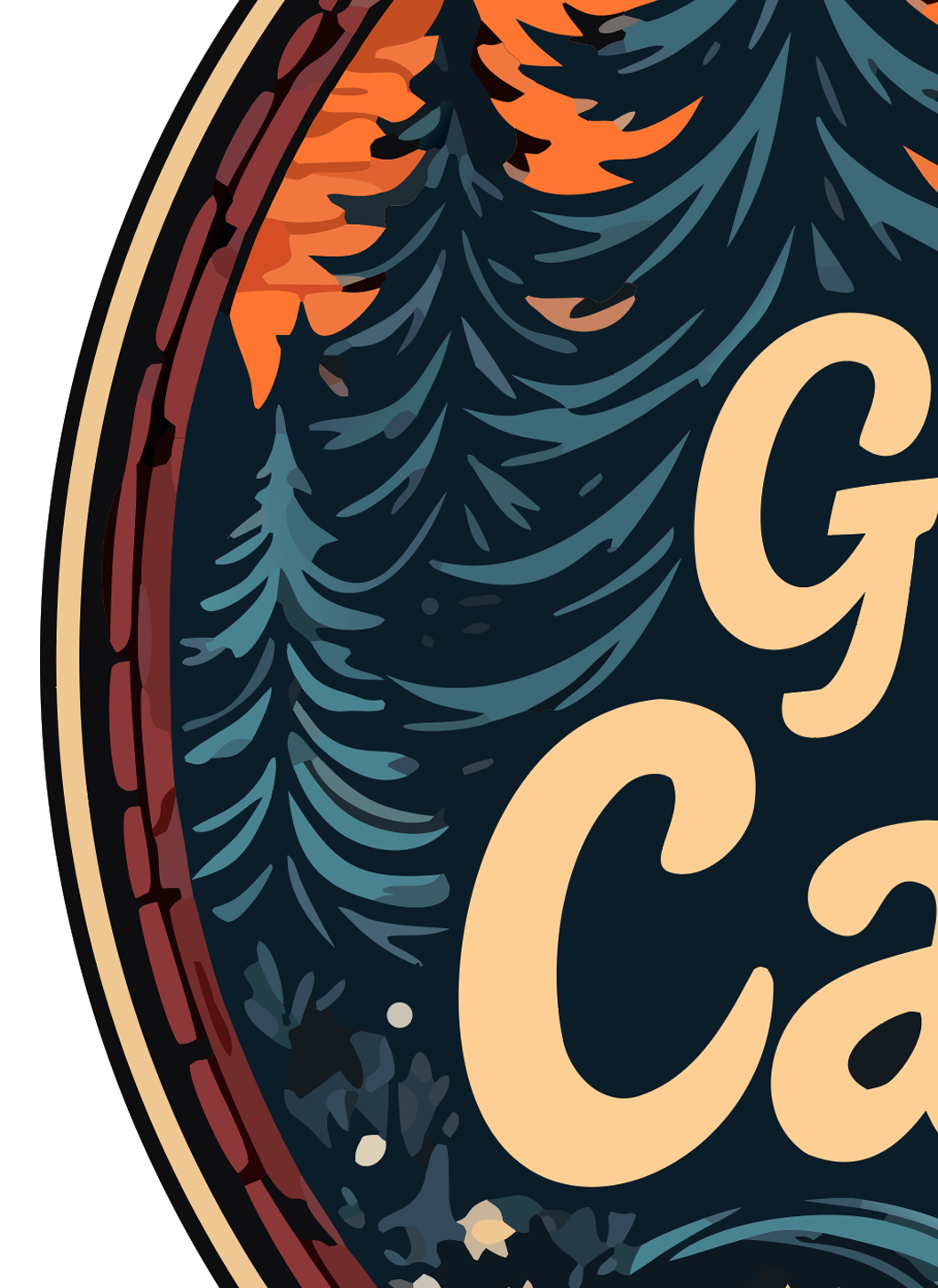
Both files started as the same logo. The left side is the raster PNG you started with. The right side is the vector SVG we generated. This is the difference between a clean print and a refund request.
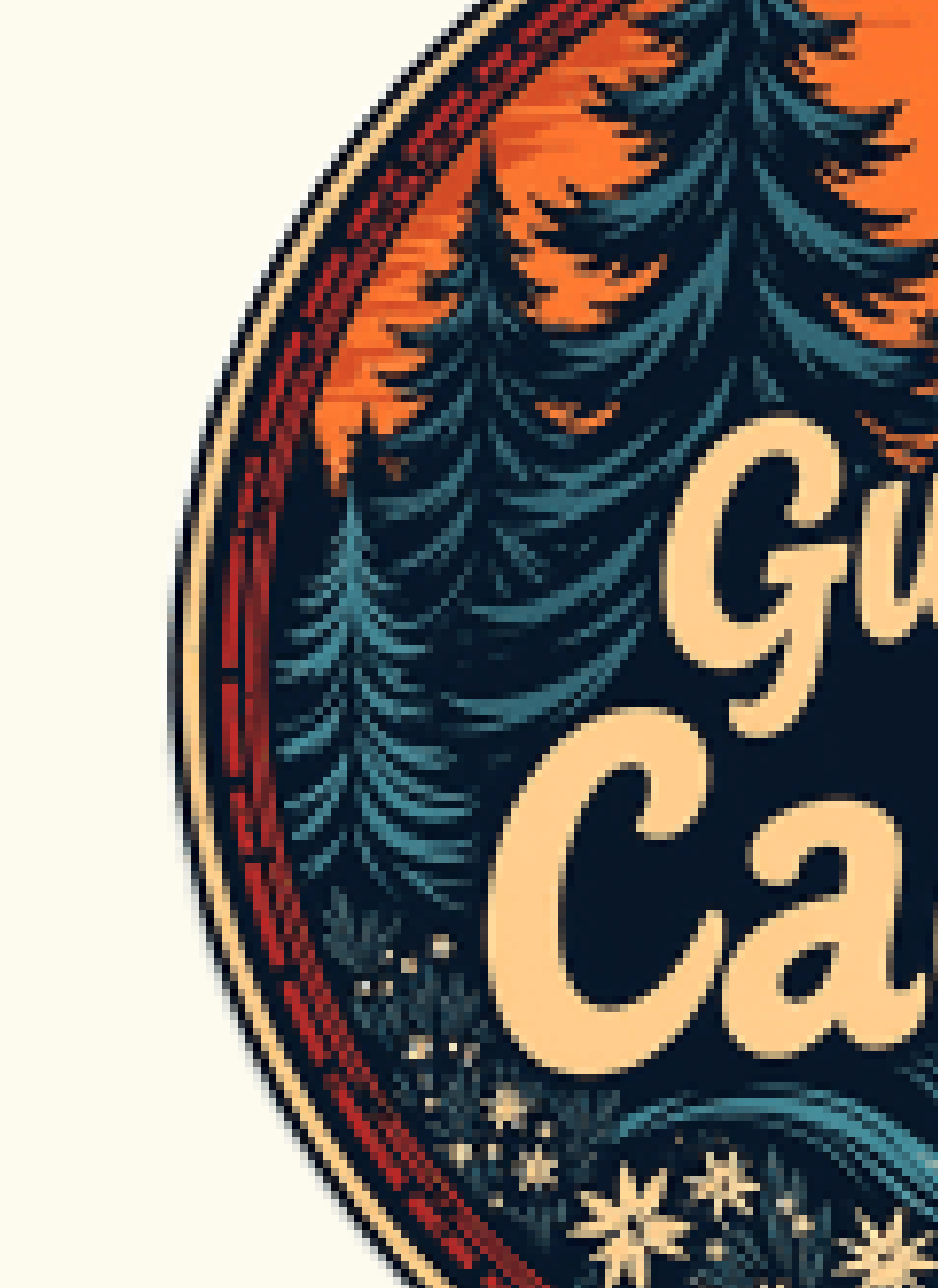
RASTER (PNG)
Original raster PNG logo zoomed in — pixelated and blurry
Pixelated and blurry — embarrassing on a sign or shirt.
VECTOR (SVG)
Vectorized SVG logo zoomed in — edges remain crisp and clean
Crisp at any size — print on a billboard, still sharp.

Real output, real zoom. Vector edges stay mathematical paths; raster edges turn into squares.

THE PROBLEM

Why PNGs Fall Apart the Moment You Print Them

A PNG file is a grid of pixels. On a screen it looks crisp, because your monitor is also a grid of pixels. But the second you scale it up for a t-shirt, a business card, a sign, or a Cricut cut file, the pixels start showing — edges jag, colors blur, transparency turns into ugly halos.

SVG is different. An SVG is math, not pixels. Every shape is a path that can be scaled from a favicon to a billboard without losing a single pixel of quality, because there are no pixels to begin with. That's why every serious printer, embroidery machine, screen-print shop, and cut machine wants an SVG, not a PNG.

Most PNG to SVG converters give you a flat, single-layer trace you can't edit. Adobe Express won't accept modern PNGs from AI tools. Vectorizer.ai charges to download. We give you a multi-layer SVG — every color on its own editable path, background removed automatically, and no watermark. Free.

📱
What you have
PNG / WebP raster
Good on screen
Blurry when printed
🖨️
What you need
SVG vector
Sharp at any size
Print-ready everywhere
⚠️
What others give
Flat SVG (uneditable)
Single layer
Can't change colors
🎨
What we give
Multi-layer SVG
Every color editable
Background removed

WHY US

The Only Free Tool That Removes the Background and Keeps Every Color Editable

We tested every popular SVG converter with real AI-generated logos. Most either failed (Adobe rejects WebP) or output a flat, uneditable trace. Here's how we compare.

LogoMakr Adobe Express FreeConvert Vector Magic Picsvg
Pro-quality output (clean separated layers) Low quality Low quality Paid only Low quality
Accepts WebP (ChatGPT / Midjourney)
Background removed automatically
Editable color layers (80+) Flat Flat Paid only Flat
Free download (no watermark) Signup required Watermarked $9.95+
Conversion speed 10 sec 30+ sec 30+ sec 60+ sec 30+ sec
Edit on built-in design canvas

USE CASES

Built for Every Print Job You've Got

Once your logo is a true vector, it works on every printer, cutter, and embroidery machine — at any size. Here's what people use the result for:

👕
T-shirts & Apparel
Screen printing & DTG printers need vector to keep edges crisp at shirt size.
🪧
Signs & Banners
Storefront signs and trade-show banners scale up without pixelating.
💼
Business Cards
300+ DPI print needs vector logos to look professional, not blurry.
🧵
Embroidery
Stitch files require clean vector paths, not raster pixels.
✂️
Cricut & Silhouette
Cutting machines only read vector files. PNG won't work.
🔥
Laser Cutting
Laser cutters trace vector paths to engrave or cut.
🥤
Merch & Packaging
Mugs, stickers, boxes, labels — every printer wants SVG or PDF.
📑
Trademark Filing
USPTO accepts SVG and PDF vector formats for logo trademark applications.

HOW IT WORKS

From AI Image to Print-Ready Vector in 3 Steps

No design experience needed. No software to install. Drop, wait 10 seconds, download.

1

Drop your AI logo

PNG, JPG, or WebP — including the WebP exports Adobe rejects. Works with images from ChatGPT, Midjourney, Gemini, Adobe Firefly, or any source.

2

We vectorize in 10 seconds

Our AI traces every color into a separate editable layer, removes the background, and produces a true vector SVG you can scale to any size.

3

Download or edit

Download the SVG directly, or open it on our design canvas to recolor, add text, swap pieces, and save the final logo.

Common Questions

Can I convert any PNG to SVG for free?
Yes — every PNG format works: PNG-8, PNG-24, and transparent PNGs. Max file size 10MB. Your first conversion is free with a quick signup. Get 3 per day with a free account, or 50 with the Pro pack.
Will my transparent PNG stay transparent in the SVG?
Yes. Transparent PNGs come out as SVGs with only your actual logo content — no background box. If your PNG has a white or colored background, we detect and remove it automatically before tracing.
Is the SVG editable in Illustrator, Inkscape, or Figma?
Yes. We output standard multi-layer SVG that opens in Illustrator, Inkscape, Figma, Affinity Designer, and every other vector program. Each color sits on its own path so you can edit them individually.
Why does PNG to SVG matter for Cricut, screen printing, and embroidery?
Cricut, Silhouette, screen printers, and embroidery machines all need vector files. PNGs give them a pixel grid, and pixels can't be cut cleanly at any size. Our SVG output drops directly into all standard cut and print software.
How does this compare to Adobe Express, Vectorizer.ai, and Canva?
Adobe Express refuses modern PNG exports from AI tools. Vectorizer.ai charges to download the SVG. Canva locks the feature behind a paid subscription. We accept every PNG, separate colors into editable layers, and let you download for free.
What if my PNG has gradients or fine detail?
We detect gradients and preserve them as smooth color transitions in the SVG. For extremely photographic images some smoothing is unavoidable, but logos, illustrations, and icons come out visually identical to the source PNG.
Can I edit the colors after converting PNG to SVG?
Yes. Every color in your PNG ends up on its own editable path in the SVG. Click "Edit on Canvas" to open the result in our design editor and change any color individually, or swap fonts if your logo has text.
Is the free SVG download watermarked?
No. Your free conversion downloads without any watermark. Sign up for a free account to convert more, or unlock 50 conversions in the Pro pack.
How long does the PNG to SVG conversion take?
About 10 seconds for most PNGs. Larger or highly detailed images may take up to 30 seconds. A live progress indicator shows you where we are.
Can I use the SVG commercially for print or resale?
Yes. The SVG we produce is yours to use commercially — print, sell, license, or trademark, no royalty owed to LogoMakr.

Ready to turn your PNG into a print-ready SVG?

Free to try. Drop your PNG, get an editable, background-removed SVG in 10 seconds.

⬆ Convert PNG to SVG