Last updated September 2026

AI Logo to Vector

Turn any AI-generated logo — ChatGPT, Gemini, DALL·E, Midjourney, Canva — into a print-ready SVG

Vectorizing your logo…

Usually takes 10–15 seconds. Stay on the page.

Works with WebP (Adobe rejects WebP) Background removed automatically Editable color layers 10-second conversion

Step 1 of 2 · your logo is traced

It is a real vector now. Step 2 is making it work for print.

Original (raster)
Vectorized (SVG)
Get my professional files  →

Vector PDF and SVG for your printer, plus a transparent high-resolution PNG and JPEG for your website and social profiles. Everything, in one download.

Sign up free to convert more.

THE PROOF

Look What Happens When You Zoom In

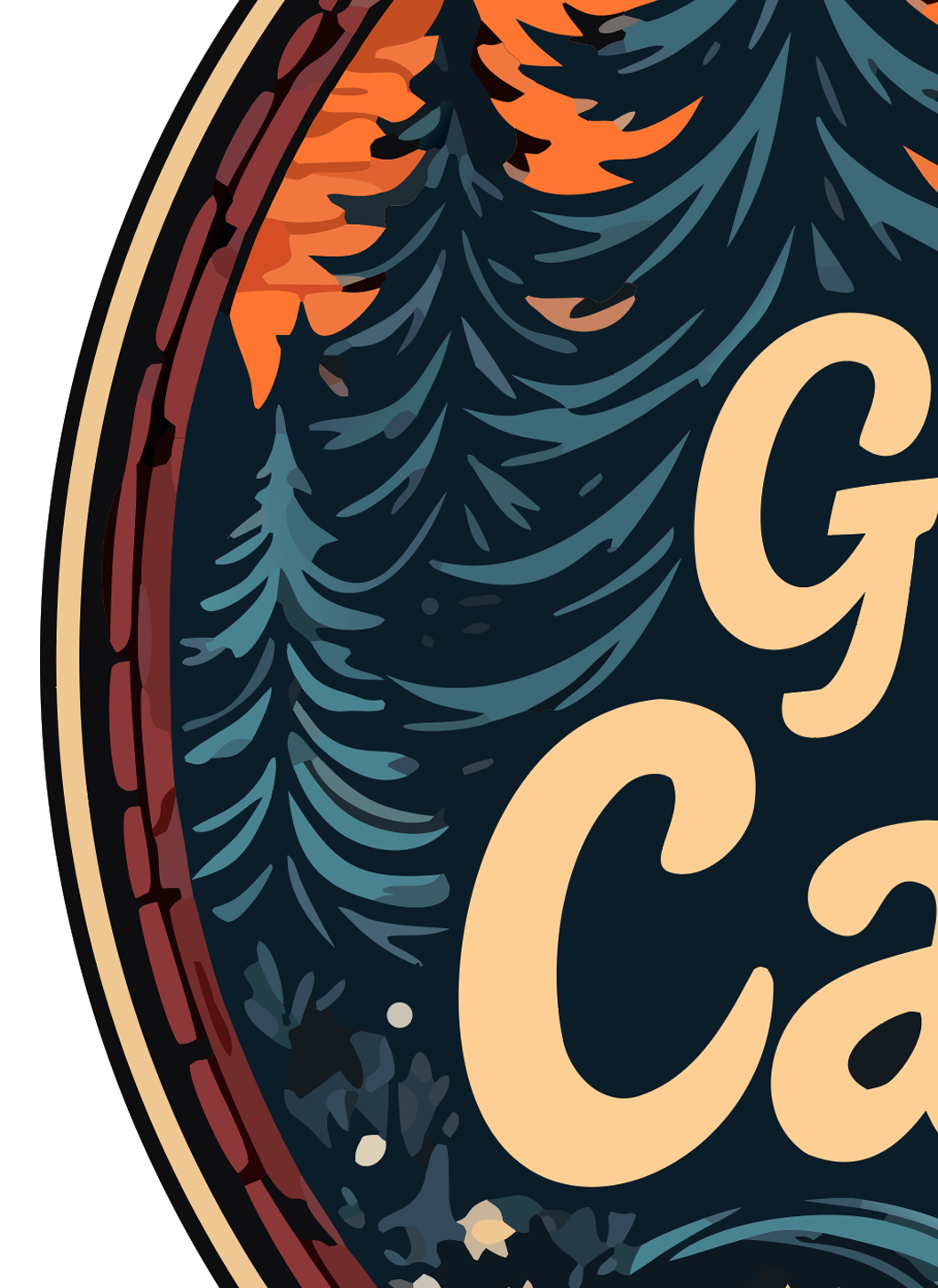
Both files started as the same AI-generated logo. The left is the PNG the AI gave you. The right is the vector SVG we traced from it. This is the difference between a clean print and a refund request.
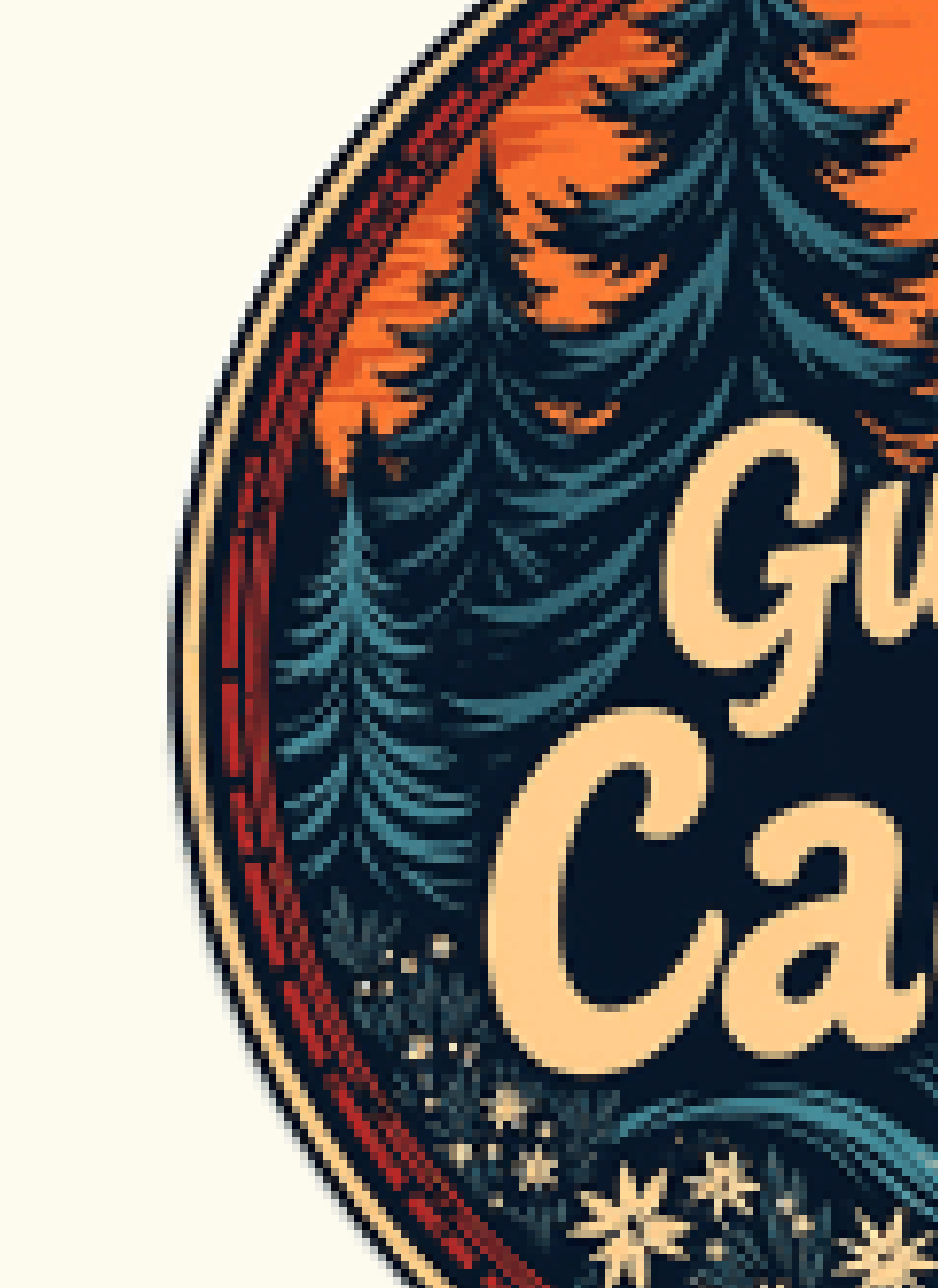
RASTER (PNG)
Original raster PNG logo zoomed in — pixelated and blurry
Pixelated and blurry — embarrassing on a sign or shirt.
VECTOR (SVG)
Vectorized SVG logo zoomed in — edges remain crisp and clean
Crisp at any size — print on a billboard, still sharp.

Real output, real zoom. Vector edges stay mathematical paths; raster edges turn into squares.

THE PROBLEM

Every AI Image Tool Gives You Pixels. Printers Need Shapes.

ChatGPT, Gemini, DALL·E, Midjourney, Canva AI, Firefly: all of them paint pixels. Usually 1024 × 1024, sometimes 2K. On screen that looks perfect, because your screen is pixels too. The moment a sign shop, an embroiderer or a web developer asks for "the vector" or "the SVG," you discover the AI cannot make one. It never could. Asking it for SVG gets you a renamed PNG, a flat grey silhouette, or made-up code that draws something else.

Generic converters make it worse. Most flatten your logo into a single-color blob, keep the background the AI painted in, and several refuse the WebP files that ChatGPT and Gemini now save by default.

This tool was built for AI logos specifically. Drop the PNG, JPG or WebP; you get a multi-layer SVG — every color on its own editable path, the background genuinely removed — in about ten seconds. Free to try, no account needed.

📱
What you have
PNG / WebP raster
Good on screen
Blurry when printed
🖨️
What you need
SVG vector
Sharp at any size
Print-ready everywhere
⚠️
What others give
Flat SVG (uneditable)
Single layer
Can't change colors
🎨
What we give
Multi-layer SVG
Every color editable
Background removed

WHY US

The Only Free Converter That Removes the Background and Keeps Every Color Editable

We tested the popular converters with real AI-generated logos. Most either rejected the file or returned a flat, uneditable trace. Here is how they compare.

LogoMakr Adobe Express FreeConvert Vector Magic Picsvg
Pro-quality output (clean separated layers) Low quality Low quality Paid only Low quality
Accepts WebP (ChatGPT / Gemini)
Background removed automatically
Editable color layers (80+) Flat Flat Paid only Flat
Free sample to try ✓ SVG sample Signup required Watermarked $9.95+
Conversion speed 10 sec 30+ sec 30+ sec 60+ sec 30+ sec
Edit on built-in design canvas

USE CASES

Built for Every Print Job Your AI Logo Needs to Survive

Once the logo is a true vector it works on every printer, cutter and embroidery machine, at any size. This is what people use the result for.

👕
T-shirts & Apparel
Screen printing & DTG printers need vector to keep edges crisp at shirt size.
🪧
Signs & Banners
Storefront signs and trade-show banners scale up without pixelating.
💼
Business Cards
300+ DPI print needs vector logos to look professional, not blurry.
🧵
Embroidery
Stitch files require clean vector paths, not raster pixels.
✂️
Cricut & Silhouette
Cutting machines only read vector files. PNG won't work.
🔥
Laser Cutting
Laser cutters trace vector paths to engrave or cut.
🥤
Merch & Packaging
Mugs, stickers, boxes, labels — every printer wants SVG or PDF.
📑
Trademark Filing
USPTO accepts SVG and PDF vector formats for logo trademark applications.

HOW IT WORKS

From AI Image to Print-Ready Vector in 3 Steps

No design experience needed. No software to install. Drop, wait 10 seconds, download.

1

Drop your AI logo

PNG, JPG or WebP from ChatGPT, Gemini, DALL·E, Midjourney, Canva, Firefly or any other tool. Max 10 MB.

2

We vectorize in 10 seconds

Every color is traced to its own editable layer, the background is removed, and you get a true vector SVG that scales to any size.

3

Download or edit

Download the watermarked sample, or open it on the design canvas to fix a letter, swap a color or add a tagline. Clean files from $29.

Common Questions

Which AI tools does this work with?
All of them. ChatGPT (DALL·E), Google Gemini and Nano Banana, Midjourney, Canva AI, Adobe Firefly, Ideogram, Grok, Leonardo, Stable Diffusion. They all produce PNG, JPG or WebP, and all three formats work here.
Can the AI tool just give me a vector file?
No. Image models generate pixels. When you ask ChatGPT or Gemini for an SVG you get one of three things: the same PNG renamed, a crude one-color trace, or SVG code written from a description that never saw your image. A real trace of your actual logo is a separate step, and that is what this page does.
Will the background be removed?
Yes, genuinely. AI tools often paint a white box, a gradient or a fake checkerboard behind a logo. The trace finds the logo's shapes and leaves the background out, so the area around your logo is truly transparent.
Does it keep the colors?
Yes. Each color becomes its own layer in the SVG, so you or your printer can change one without touching the others. You also get the exact color codes with the paid files.
Is the free version really free?
The trace is free and needs no account. The free SVG sample is watermarked so you can check the result at full zoom. The clean SVG, print-ready PDF, transparent PNG and JPG are $29 once, no subscription.
Can I use an AI-generated logo commercially?
Generally yes: OpenAI, Google and Midjourney (on paid plans) grant you rights to the images you generate. Check the terms of the tool you used. Trademark registration is a separate legal question and depends on the design, not the file format.
What if the AI misspelled my business name?
Common. Open the trace on the canvas and retype the word; the rest of the logo stays untouched. Or let our design team finish it by hand for $120 with unlimited revisions.
What files will my printer or web developer ask for?
Printers and sign shops want vector: SVG, PDF or EPS. Web developers want a transparent PNG or WebP and, ideally, the SVG. The $29 package includes all of them.

Ready to turn your AI logo into a real vector?

Free to try. Drop the PNG, JPG or WebP from any AI tool and get an editable, print-ready SVG in 10 seconds.

⬆ Convert My AI Logo