Vectorizing your logo…
Usually takes 10–15 seconds. Stay on the page.
It is a real vector now. Step 2 is making it work for print.
Vector PDF and SVG for your printer, plus a transparent high-resolution PNG and JPEG for your website and social profiles. Everything, in one download.
Sign up free to convert more.
THE PROOF
Both files started as the same flat PNG from Canva's free plan. The left is what Canva downloads. The right is the vector SVG we traced from it. This is the difference between a clean print and a refund request.
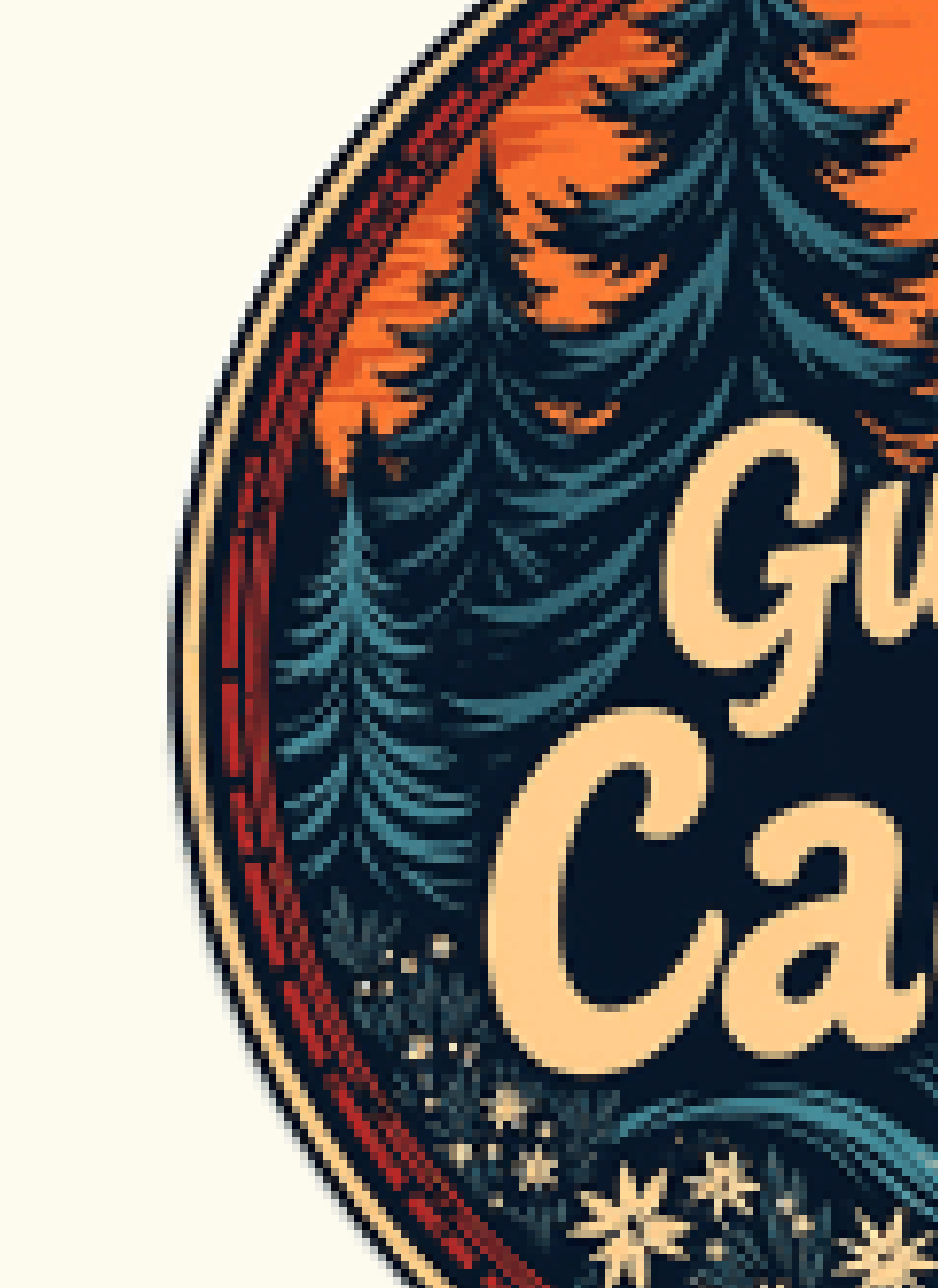
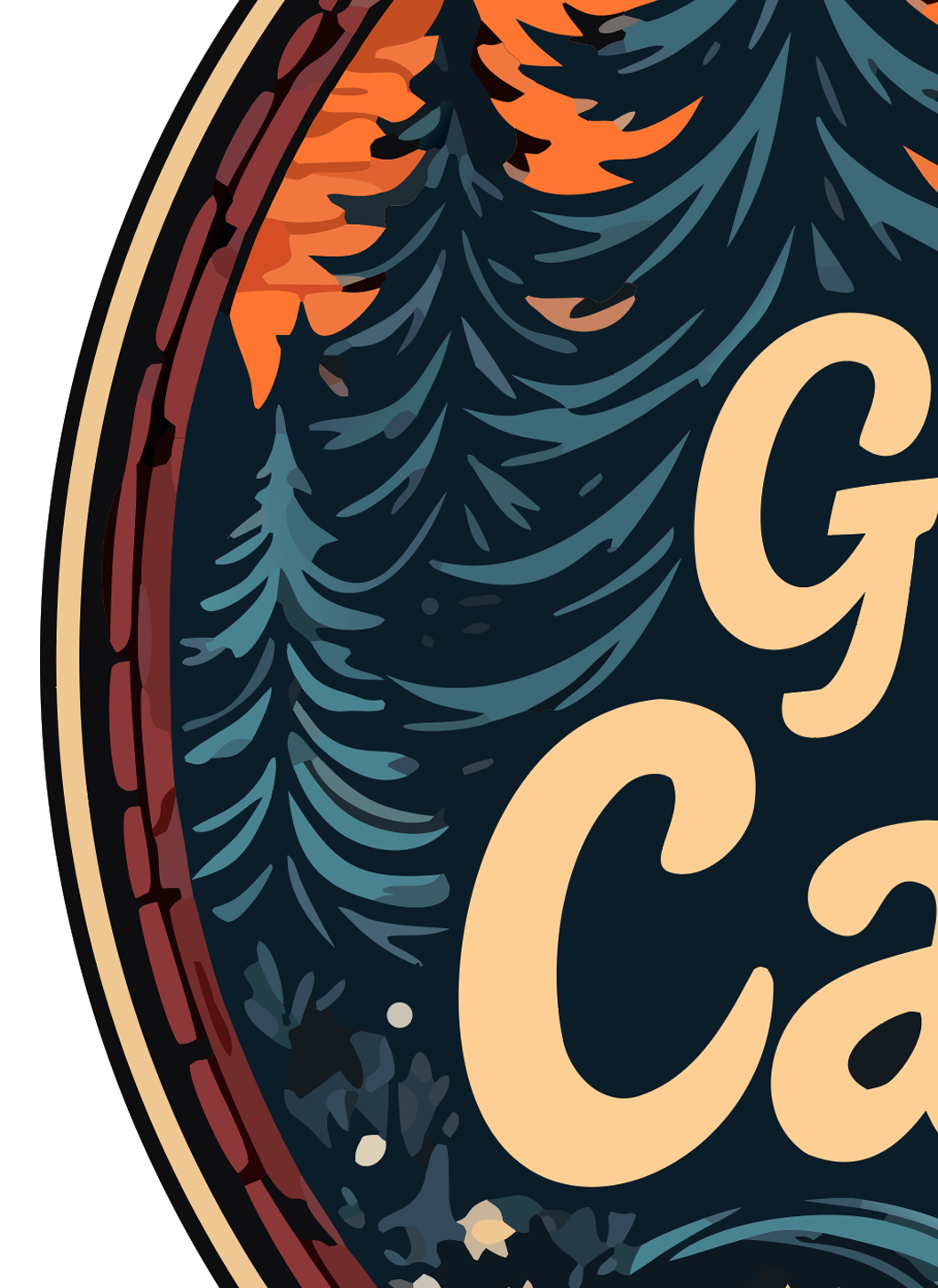
Real output, real zoom. Vector edges stay mathematical paths; raster edges turn into squares.
THE PROBLEM
Canva is a great place to design a logo. Then you go to download it and hit the wall: SVG is a Pro feature. Transparent background is a Pro feature. The free plan gives you a PNG or JPG with a white box behind it, sized to the canvas you drew on. The moment your printer, embroiderer or sign shop asks for a vector file, that PNG gets sent back.
Even Canva Pro does not fully solve it. Canva's SVG export keeps its own shapes and text as vectors, but anything you uploaded, any photo, and any logo made with Canva's AI image tools stays a flat raster inside the file. And most people do not want to start a subscription just to download one logo once.
This tool takes the PNG or JPG you already have, removes the white background, snaps the anti-aliased edges to clean paths and gives you a multi-layer SVG with every color on its own editable layer. It works on logos from the free plan, from Pro, and from Canva's AI generator. About ten seconds, free to try, no Canva account needed.
WHY US
We tested the popular converters with real logos exported from Canva's free plan. Most flattened every color into one shape or left the white box behind the logo. Here is how they compare.
| LogoMakr | Adobe Express | FreeConvert | Vector Magic | Picsvg | |
|---|---|---|---|---|---|
| Pro-quality output (clean separated layers) | ✓ | Low quality | Low quality | Paid only | Low quality |
| Accepts WebP (ChatGPT / Gemini) | ✓ | ✗ | ✓ | ✗ | ✗ |
| Background removed automatically | ✓ | ✗ | ✗ | ✗ | ✗ |
| Editable color layers (80+) | ✓ | Flat | Flat | Paid only | Flat |
| Free sample to try | ✓ SVG sample | Signup required | Watermarked | $9.95+ | ✓ |
| Conversion speed | 10 sec | 30+ sec | 30+ sec | 60+ sec | 30+ sec |
| Edit on built-in design canvas | ✓ | ✗ | ✗ | ✗ | ✗ |
USE CASES
Once the logo is a true vector it works on every printer, cutter and embroidery machine, at any size. This is what people use the result for.
HOW IT WORKS
No Canva Pro. No software to install. Drop, wait 10 seconds, download.
The PNG or JPG from the free plan is fine. Export it at the largest size Canva allows and leave the white background; we remove it.
Every color is traced to its own editable layer, the white box is removed, and you get a true vector SVG that scales to any size.
Download the watermarked sample, or open it on the design canvas to change a color, fix a word or add a tagline. Clean files from $29.
Free to try. Drop the PNG or JPG from Canva and get an editable, print-ready SVG with the background removed in 10 seconds.
⬆ Convert My Canva LogoIt is watermarked, and it is yours to keep. Here is what the paid files add:
Step 2 · make it usable everywhere
Before you download the SVG, here's what most users actually need for real-world use. Get the same logo in vector PDF, high-resolution PNG, and JPG — the formats print shops, embroidery machines, business cards, and trademark filing require.
It takes 10 seconds, and your logo is saved to your account.